LS-DYNA
LS-DYNA is a software package based on the finite element method, intended for simulating transient dynamic phenomena. The program is capable of simulating complex real-world problems. It is optimised for use on multiprocessor systems and supercomputers and on various operating systems (Unix, Linux, Windows).
LS-DYNA is a widely used software package in various industries, including:
The automotive industry: for simulating crashes and the behaviour of the vehicle and passengers during a crash, simulating sheet metal forming and predicting stress-strain states resulting from the forming process,…
The aerospace industry: for simulating bird strikes, jet engine rotor blade failures, failures of load-bearing parts,…
Usage example
Transfer the “k” file, previously prepared in a preprocessor, to your working directory on the HPC.
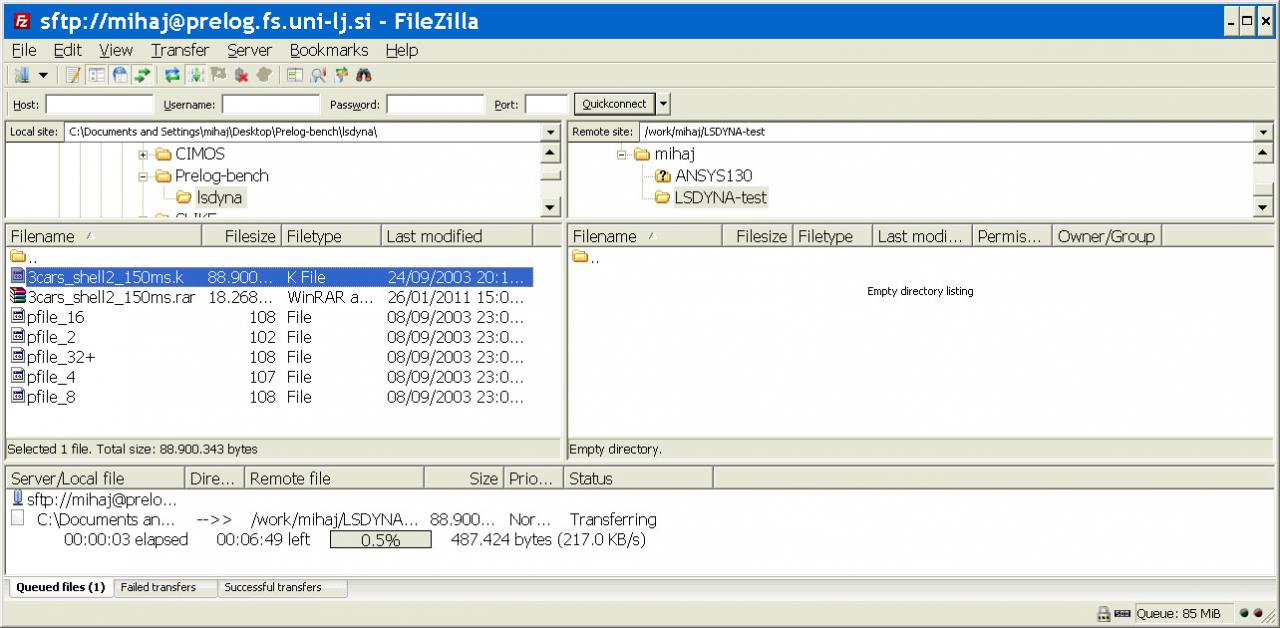
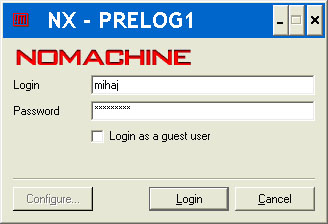
Once the file has been transferred, log in to the HPC with “NX Client”, as described in the user instructions.
Open a terminal window and with the command
module load ansys/13.0
load the ANSYS module, of which LS-DYNA is also a part.
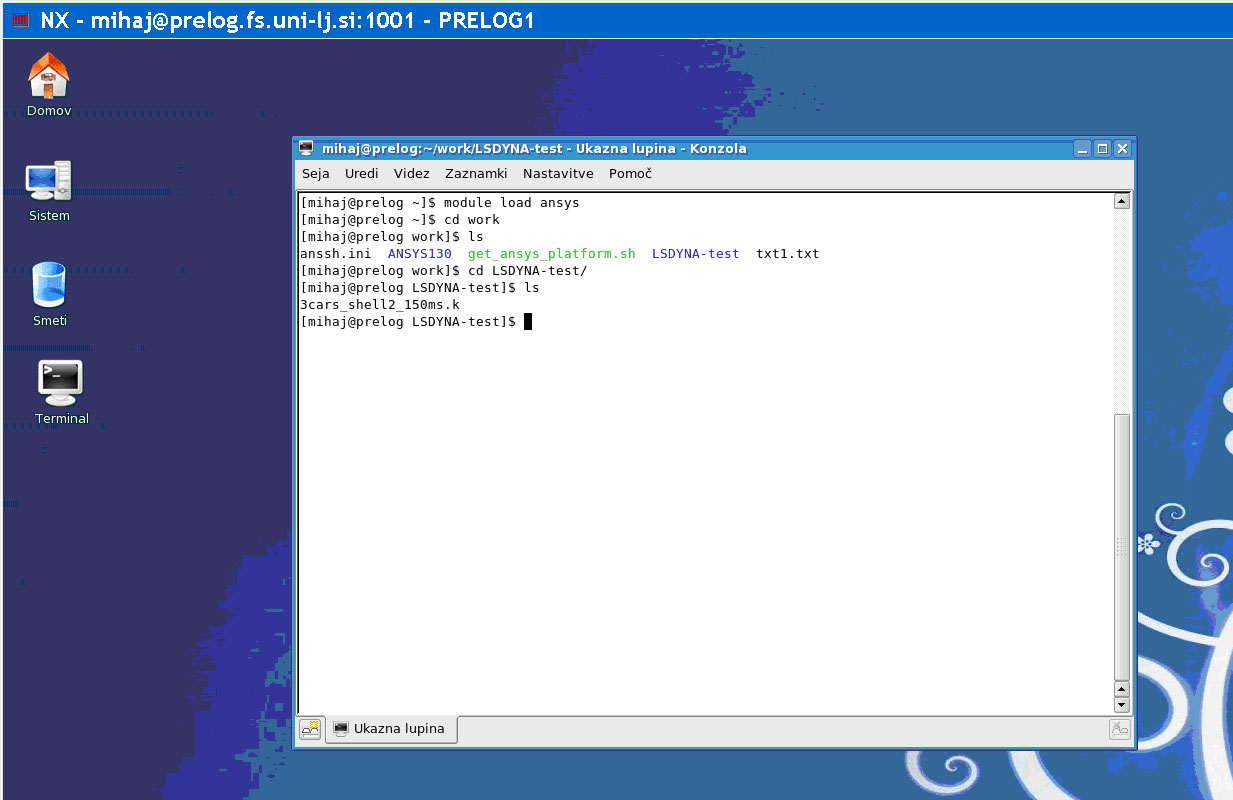
Then move to the directory containing the “k” file, in our case: work/LSDYNA-test:
cd work/LSDYNA-test
The lspp3 command starts the pre- and post-processing program lsprepost. Instructions for lsprepost can be found at: http://www.lstc.com/lspp/content/tutorials.shtml.
With the command
File/Open/LS-DYNA Keyword File
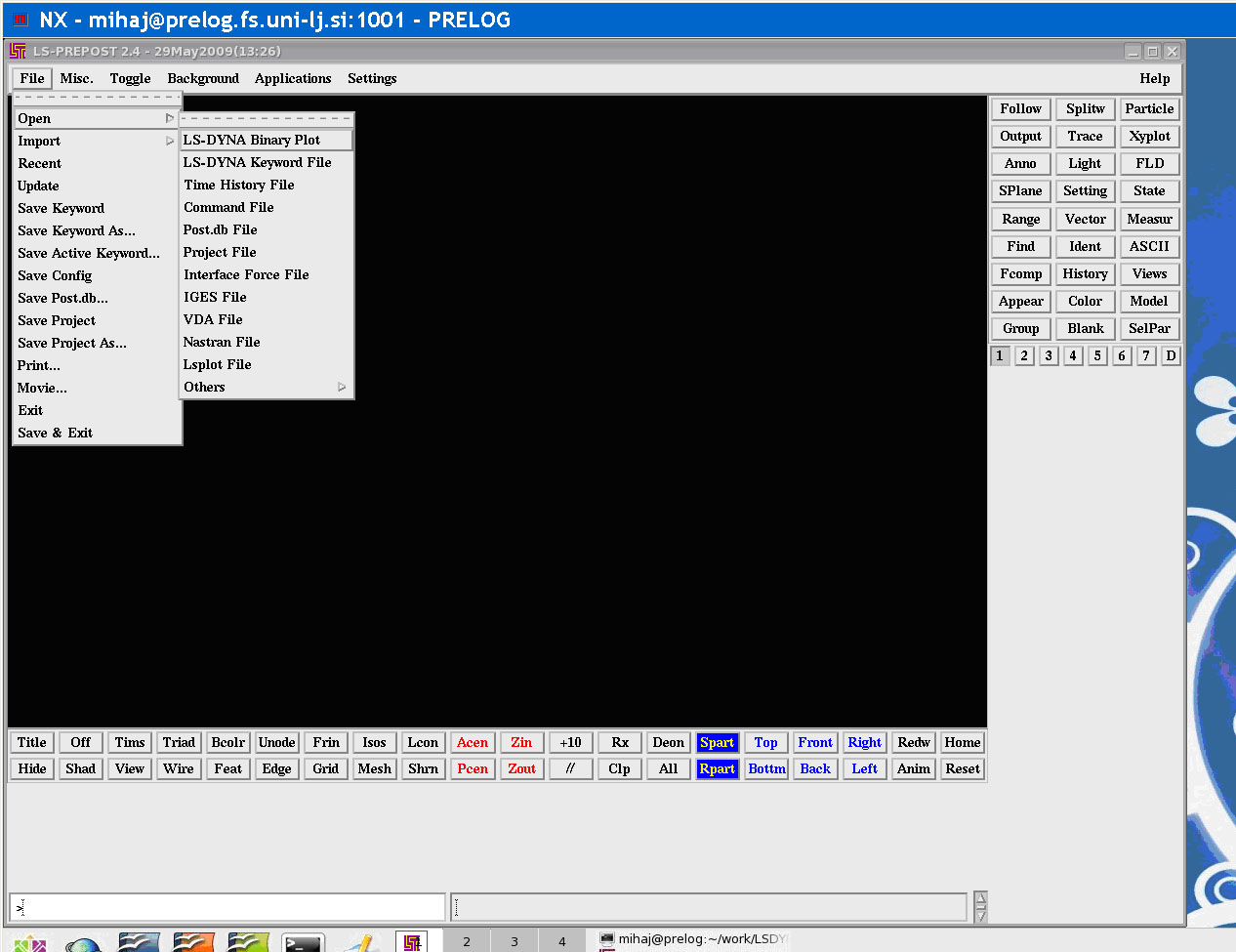
open the “k” file
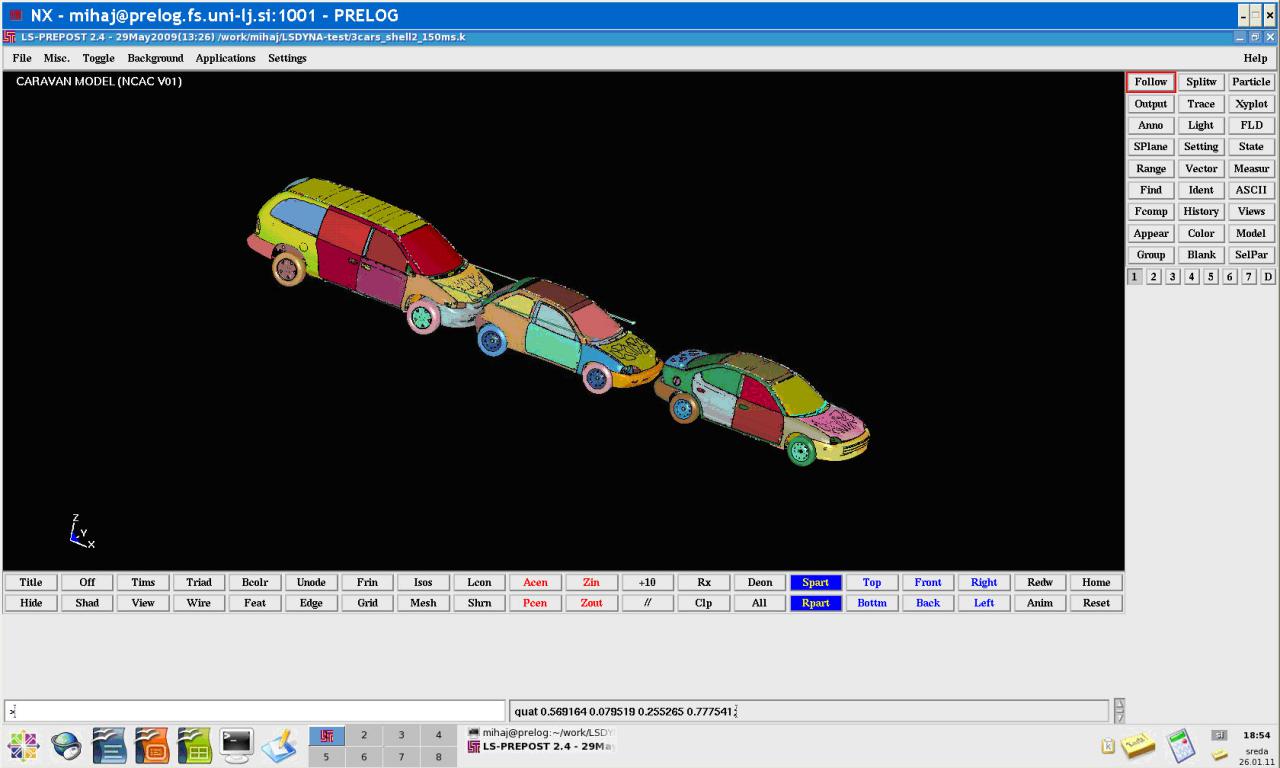
review and, if necessary, correct the computational model, save it and close the lsprepost program.
The next step is to start the computation in “batch” mode. The computation with the ls-dyna solver is started with the job script lsdyna.sh
#!/bin/bash
#SBATCH --job-name=DistLS-D
#SBATCH --partition=rome
#SBATCH --ntasks=12
#SBATCH --ntasks-per-core=1
#SBATCH --time=24:00:00
#SBATCH --error=myerr.txt
#SBATCH --output=myoutput.out
module load ansys
MACHINES=$(srun hostname | sort | uniq -c | awk '{print $2":"$1}' | paste -sd:)
lsdyna130 -dis -machines $MACHINES i=3cars_shell2_150ms.k memory=250000000
submitted with the command sbatch lsdyna.sh, which starts the computation of the model stored in the file 3cars_shell2_150ms.k on 12 cores and allocates 250(\cdot)10⁶ words of memory for it ( = 1 GB; 1 word = 4 bytes). The other command switches and execution control are explained in the LS-DYNA user manual.
Intermediate results can be reviewed with lsprepost (lspp3) while the computation is still running. Finally, post-process the results with the program on the HPC, or transfer the result files to your personal computer, install the free lsprepost program available at http://www.lstc.com/lspp/ and review the results with it.
Attachments
Attachment |
Size |
|---|---|
21.01 MB |
LS-DYNA
LS-DYNA je programski paket, ki temelji na metodi končnih elementov in je namenjen simuliranju tranzientnih dinamičnih pojavov. Program je sposoben simulirati kompleksne realne probleme. Optimiran je za uporabo na več-procesorskih in super-računalnikih ter različnih operacijskih sistemih (Unix, Linux, Windows).
LS-DYNA je široko uporaben programski paket v različnih industrijskih panogah, med drugim v:
Avtomobilski industriji: za simuliranje trkov in obnašanja vozila in potnikov med trkom, simuliranje preoblikovanja pločevine in napoved napetostno deformacijskih stanj zaradi procesa preoblikovanja,…
Letalski industriji: za simuliranje udarcev ptic, zlomov rotorskih lopatic reaktivnih motorjev, odpovedi nosilnih delov,…
Primer uporabe
»k« datoteko, ki smo jo predhodno pripravili v predprocesorju prenesemo v svoj delovni direktorij na HPC.
Ko je datoteka prenešena se z »NX Client« logiramo na HPC, kot je to opisano v navodilih za uporabo.
odpremo terminalsko okno, in z ukazom
module load ansys/13.0
naložimo ansysov modul katerega sestavni del je tudi LS-DYNA.
Nato se premaknemo v direktorij, kjer se nahaja »k« datoteka v našem primeru: work/LSDYNA-test:
cd work/LSDYNA-test
Z ukazom lspp3 poženemo program za pred- in post- procesiranje lsprepost. Navodila za lsprepost se nahajajo na: http://www.lstc.com/lspp/content/tutorials.shtml.
Z ukazom
File/Open/LS-DYNA Keyword File
odpremo »k« datoteko
pregledamo in po potrebi popravimo računski model in ga shranimo ter zapremo program lsprepost.
Naslednji korak je zagon računanja v »batch« načinu. Računanje z ls-dyna solverjem poženemo s skripto lsdyna.sh
#!/bin/bash
#SBATCH --job-name=DistLS-D
#SBATCH --partition=rome
#SBATCH --ntasks=12
#SBATCH --ntasks-per-core=1
#SBATCH --time=24:00:00
#SBATCH --error=myerr.txt
#SBATCH --output=myoutput.out
module load ansys
MACHINES=$(srun hostname | sort | uniq -c | awk '{print $2":"$1}' | paste -sd:)
lsdyna130 -dis -machines $MACHINES i=3cars_shell2_150ms.k memory=250000000
ki jo pošljemo z ukazom sbatch lsdyna.sh, s čimer poženemo računanje modela shranjenega v datoteki 3cars_shell2_150ms.k na 12 jedrih in za to alociramo 250(\cdot)10⁶ besed (words) spomina ( = 1 GB; 1 beseda = 4 byte). Ostala stikala ukaza in nadzor izvajanja so razložena v uporabniškem priročniku LS-DYNA.
Že med preračunom lahko s programom lsprepost (lspp3) pregledujemo vmesne rezultate. Na koncu rezultate postprocesiramo s programom na HPC ali pa si datoteke z rezultati prenesemo na osebni računalnik, kamor si namestimo brezplačni program lsprepost, ki ga dobimo na: http://www.lstc.com/lspp/ in z njim pregledujemo rezultate.
Priponke
Priponka |
Velikost |
|---|---|
21.01 MB |