damBreak tutorial
Instructions for running the damBreak tutorial (User Guide, 2.3 Breaking of a dam, U-55 ):
1. Load the OF module:
 module load openfoam
source $foamDotFile
cd $FOAM_RUN/tutorials/multiphase/interFoam/laminar/
We skip the basic case and continue with the case for a finer mesh:
 mkdir damBreakFine
cp -r damBreak/0 damBreakFine
cp -r damBreak/system damBreakFine
cp -r damBreak/constant damBreakFine
cd damBreakFine/
2. Change the number of cells along the edges of individual blocks in the blockMeshDict file:
gedit constant/polyMesh/blockMeshDict
Change the values under blocks (in the middle and last brackets) to:
 blocks
(
hex (0 1 5 4 12 13 17 16) (46 10 1) simpleGrading (1 1 1)
hex (2 3 7 6 14 15 19 18) (40 10 1) simpleGrading (1 1 1)
hex (4 5 9 8 16 17 21 20) (46 76 1) simpleGrading (1 2 1)
hex (5 6 10 9 17 18 22 21) (4 76 1) simpleGrading (1 2 1)
hex (6 7 11 10 18 19 23 22) (40 76 1) simpleGrading (1 2 1)
);
Save and close.
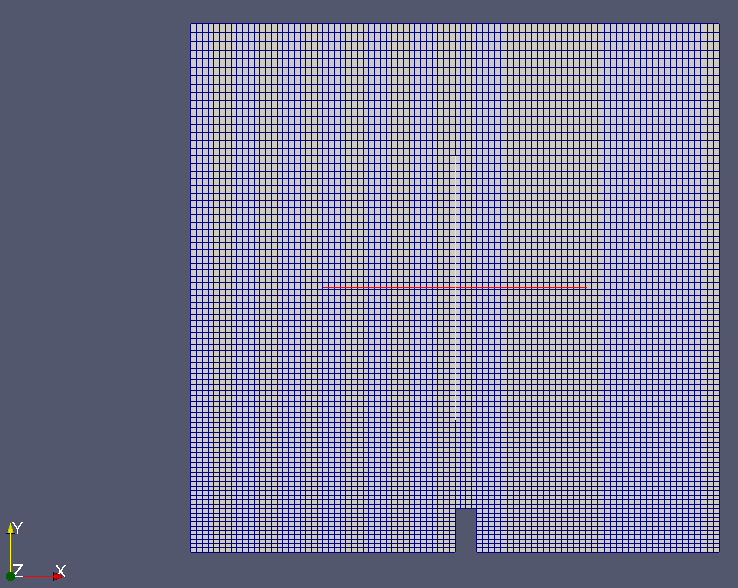
Create the mesh:
blockMesh
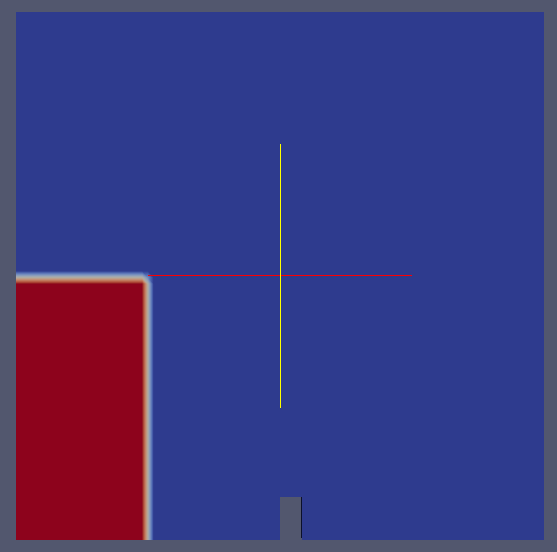
3. Initialise the initial values for the phase fraction:
 cp 0/alpha1.org 0/alpha1
setFields
4. Set the values for parallel computation, which are stored in the decomposeParDict file:
gedit system/decomposeParDict
If we want to compute on 24 processors, we set
numberOfSubdomains 24;
Accordingly, change the values of n under simpleCoeffs so that nx*ny*nz=24:
 simpleCoeffs
{
n ( 6 4 1 );
delta 0.001;
}
Save and close.
Prepare the mesh for parallel computation:
decomposePar
5. The simulation is submitted to SLURM with the command:
sbatch --partition=rome --ntasks=24 --ntasks-per-core=1 --wrap="mpirun interFoam -parallel"
Some more useful commands: squeue -u $USER shows the current job status, scancel <jobid> terminates it, sacct shows past job data, and tail -f slurm-<jobid>.out shows the current job output.
6. When the simulation has finished (completed or aborted), the output from OF (what was previously written to the log file) is in the file slurm-<jobid>.out. If the job was submitted with --mail-type=END, SLURM also sends an e-mail, which we read with
mailx
The e-mail contains the SLURM job summary. Messages are deleted with d (* for all). If the mailx program is closed with exit, this is not carried out; if it is closed with quit, the messages are deleted.
7. For post-processing the simulation results we use ParaView. First we need to merge the results of the individual subdomains:
reconstructPar
Then we run ParaView, for which OF uses the command:
paraFoam
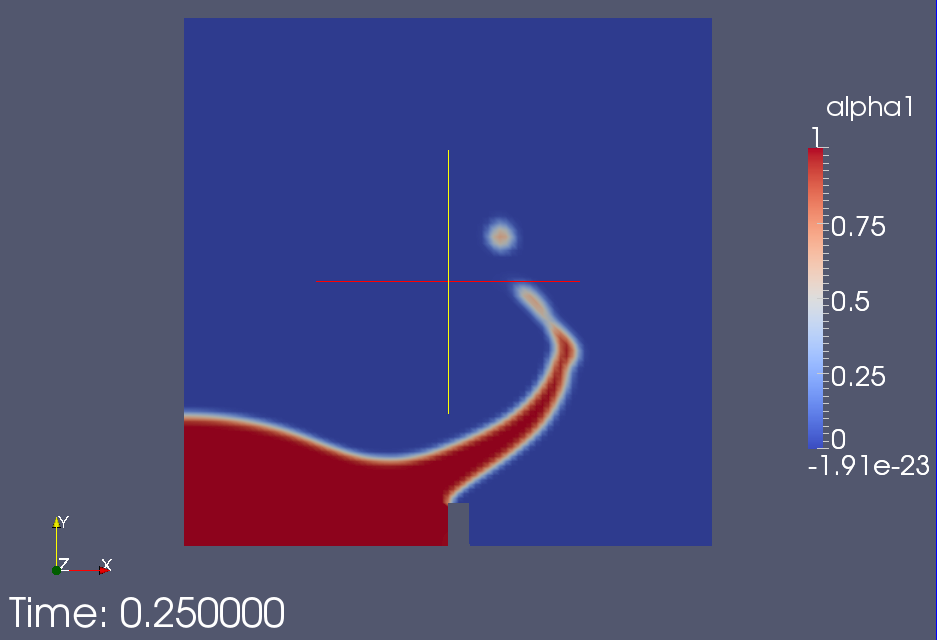
Then interactively select which data to import and confirm the selection with Apply. More detailed instructions for using ParaView are included in the OF User Guide.
Running the simulation with a script
If the files for the mesh and parallel processing are prepared, all commands can be written into a script file:
 #!/bin/bash
#SBATCH --partition=rome
#SBATCH --ntasks=24
#SBATCH --ntasks-per-core=1
cd damBreakFine/
blockMesh
cp 0/alpha1.org 0/alpha1
setFields
decomposePar
mpirun interFoam -parallel
The whole simulation is run with a single command:
sbatch skripta
damBreak tutorial
Navodila za poganjanje damBreak tutoriala (User Guide, 2.3 Breaking of a dam, U-55 ):
1. Naložimo modul za OF:
 module load openfoam
source $foamDotFile
cd $FOAM_RUN/tutorials/multiphase/interFoam/laminar/
Preskočimo osnovni primer in nadaljujemo s primerom za gostejšo mrežo:
 mkdir damBreakFine
cp -r damBreak/0 damBreakFine
cp -r damBreak/system damBreakFine
cp -r damBreak/constant damBreakFine
cd damBreakFine/
2. Spremenimo število celic na stranicah posameznih blokov v blockMeshDict datoteki:
gedit constant/polyMesh/blockMeshDict
Spremenimo vrednosti pri blocks (v srednjih in zadnjih oklepajih) na:
 blocks
(
hex (0 1 5 4 12 13 17 16) (46 10 1) simpleGrading (1 1 1)
hex (2 3 7 6 14 15 19 18) (40 10 1) simpleGrading (1 1 1)
hex (4 5 9 8 16 17 21 20) (46 76 1) simpleGrading (1 2 1)
hex (5 6 10 9 17 18 22 21) (4 76 1) simpleGrading (1 2 1)
hex (6 7 11 10 18 19 23 22) (40 76 1) simpleGrading (1 2 1)
);
Shranimo, zapremo.
Naredimo mrežo:
blockMesh
3. Inicializiramo začetne vrednosti za fazni delež:
 cp 0/alpha1.org 0/alpha1
setFields
4. Nastavimo vrednosti za paralelno računanje, ki so zapisane v decomposeParDict datoteki:
gedit system/decomposeParDict
Če želimo računati na 24 procesorjih, potem nastavimo
numberOfSubdomains 24;
Glede na to spremenimo vrednosti n pri simpleCoeffs, da je nx*ny*nz=24:
 simpleCoeffs
{
n ( 6 4 1 );
delta 0.001;
}
Shranimo, zapremo.
Pripravimo mrežo za paralelno računanje:
decomposePar
5. Simulacijo se preko sistema SLURM požene z ukazom:
sbatch --partition=rome --ntasks=24 --ntasks-per-core=1 --wrap="mpirun interFoam -parallel"
Še nekaj uporabnih ukazov: squeue -u $USER nam prikaže trenutni status posla, scancel <jobid> ga zapre, sacct pokaže pretekle podatke o poslu, tail -f slurm-<jobid>.out pa prikaže trenutni output posla.
6. Ko je simulacija zaključena (izračunana ali prekinjena), je output iz OF (kar se je prej zapisovalo v log datoteko) v datoteki slurm-<jobid>.out. Če posel pošljemo z --mail-type=END, SLURM pošlje tudi mail, ki ga preberemo z
mailx
Mail vsebuje povzetek posla SLURM. Sporočila zbrišemo z d (* za vsa). Če program mailx zaključimo z exit, potem se to ne izvede, če pa s quit, potem se sporočila zbrišejo.
7. Za postprocesiranje rezultatov simulacije uporabimo ParaView. Najprej moramo združiti rezultate posameznih podpodročij:
reconstructPar
Nato poženemo ParaView, za kar se v OF uporabi ukaz:
paraFoam
Interaktivno nato izberemo, katere podatke želimo uvoziti, nato izbiro potrdimo z Apply. Podrobnejša navodila za uporabo ParaView-a so vključena v OF User Guide.
Poganjanje simulacije s skripto
Če imamo pripravljene datoteke za mrežo in paralelno procesiranje, lahko vse ukaze zapišemo v skripto skripta:
 #!/bin/bash
#SBATCH --partition=rome
#SBATCH --ntasks=24
#SBATCH --ntasks-per-core=1
cd damBreakFine/
blockMesh
cp 0/alpha1.org 0/alpha1
setFields
decomposePar
mpirun interFoam -parallel
Celotno simulacijo poženemo z enim samim ukazom:
sbatch skripta