ANSYS Multiphysics
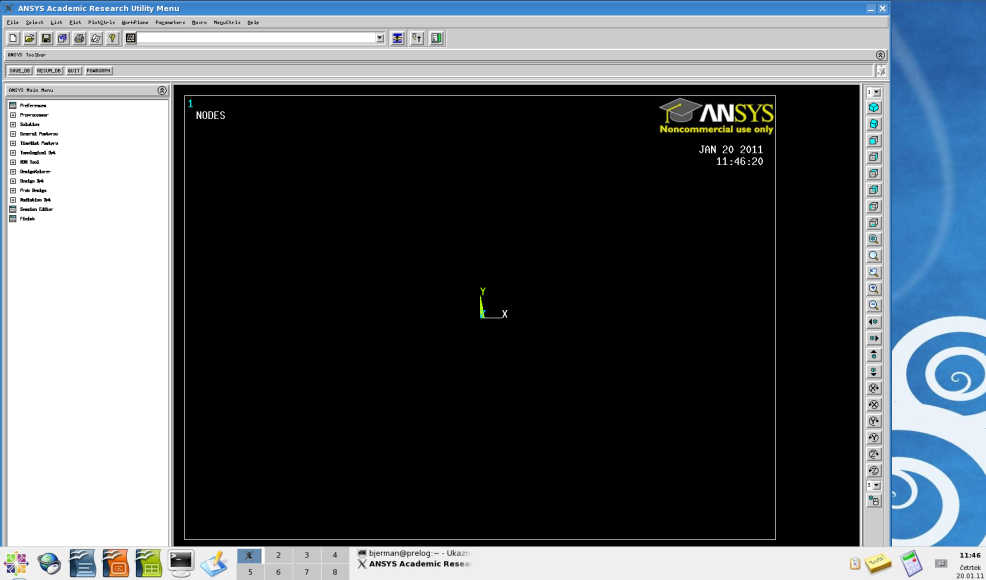
ANSYS Multiphysics is part of the ANSYS Academic Research software package. It offers a comprehensive solution that includes simulation of multiphysics problems as well as simpler analyses. The product includes structural simulation, thermal simulation, fluid simulation, and high- and low-frequency electromagnetic analyses. It also supports both directly and sequentially coupled physics problems.
Users start the classic ANSYS graphical environment with the command
ansys172 –g
ANSYS Structural
ANSYS Structural is part of the ANSYS Academic Research software package and is also included in the Multiphysics package. It is intended for simulating load-bearing structures and components. This module offers all nonlinear analysis capabilities (nonlinear materials, large displacements, large deformations, …) as well as all linear capabilities, thus ensuring high-quality and reliable simulations.
ANSYS Worbench
ANSYS Workbench is a computer-aided engineering (CAE) software package. It provides a graphical user interface that links geometric modeller functions with various ANSYS products for simulations using the finite element method (FEM) and computational fluid dynamics (CFD). This product integrates well with other 3D modellers.
Some examples of completed simulations
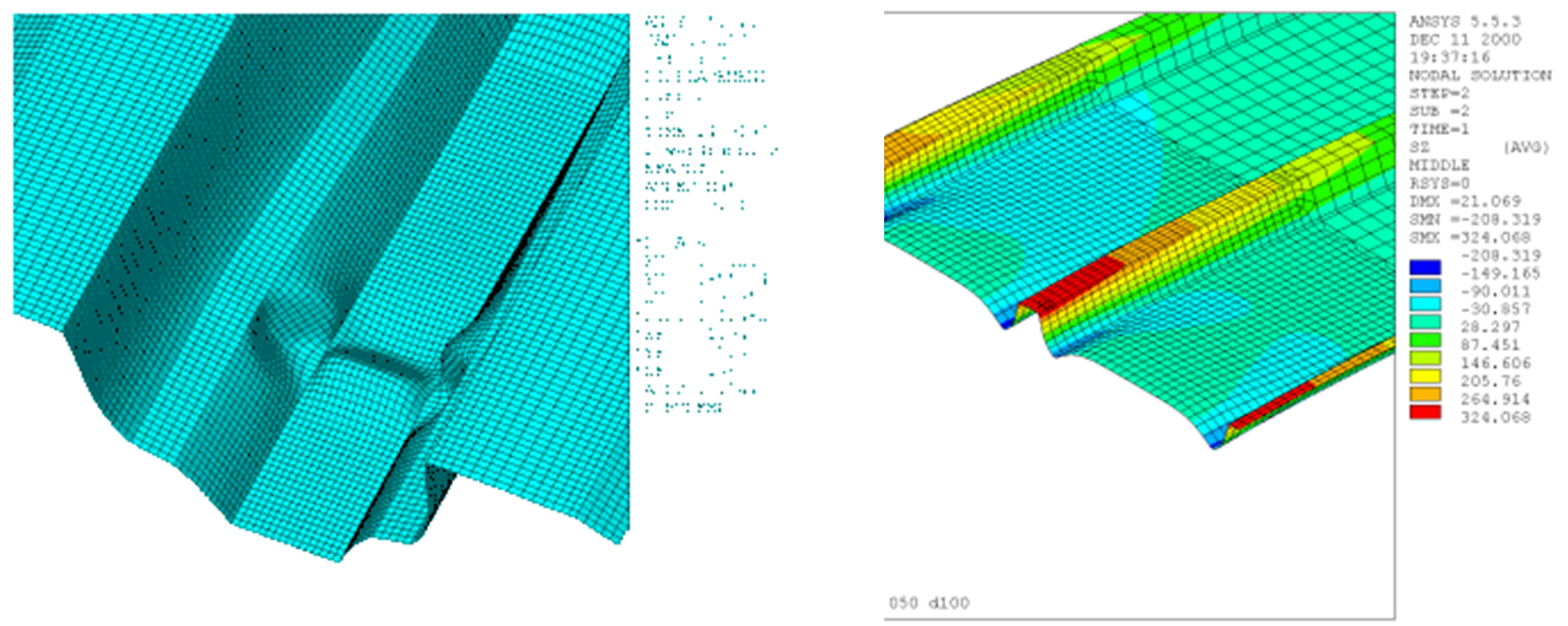 Numerical model of roof cladding and its stress-strain states. The figure shows the deformation state after loss of local stability. Large deformations of the sheet metal are visible in the figure. The model shown was developed in a collaboration between FS-LASOK and the company Trimo.
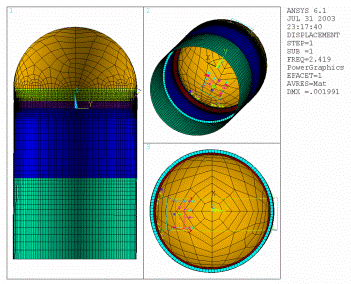 The numerical model of the containment building of the Krško Nuclear Power Plant is intended for analysing the seismic safety of the polar crane inside it. Static, dynamic and stability analyses were carried out. Ground accelerations during an earthquake were taken into account. The numerical analysis is one of a series of analyses performed by FS-LASOK for NEK.
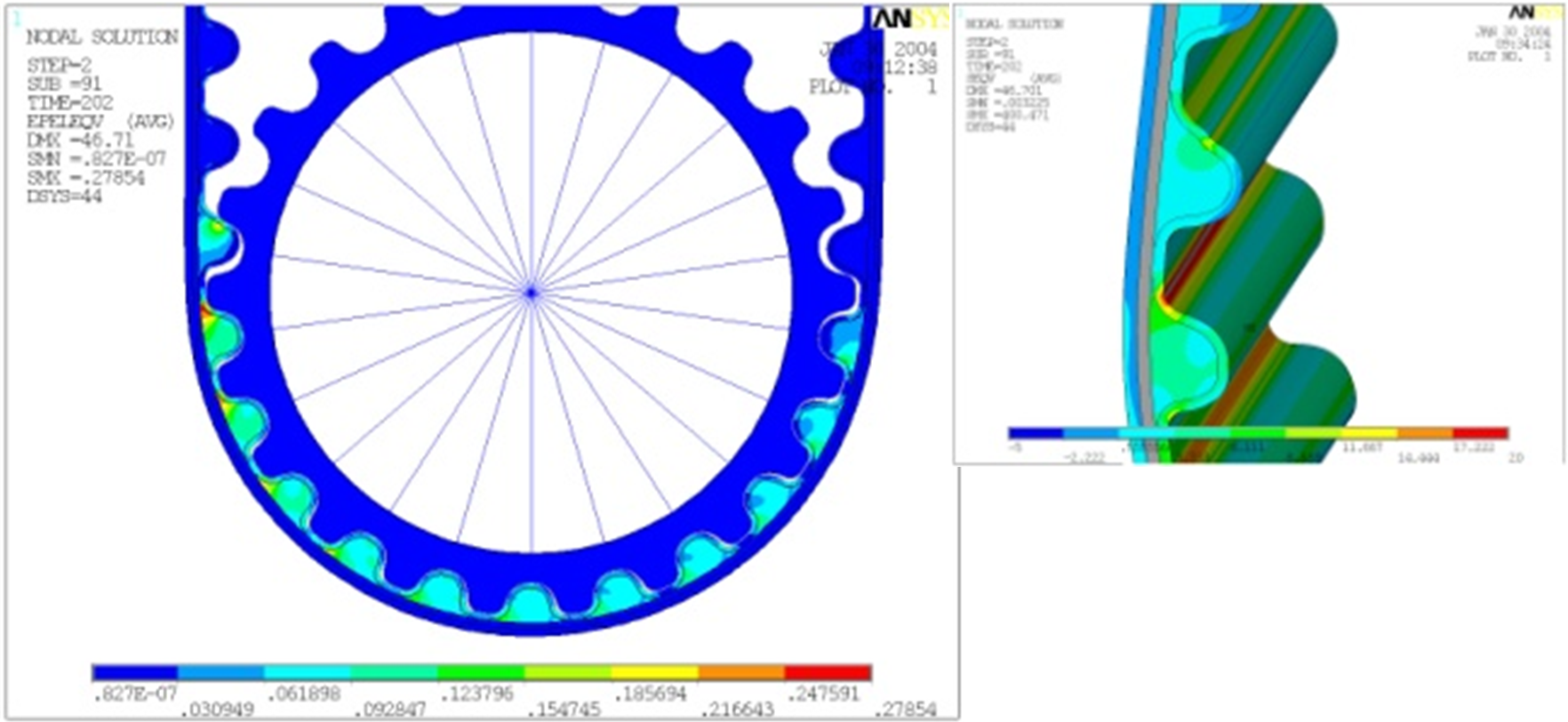 Numerical simulation of the behaviour of composite toothed belts during operation. The finite element analysis included large displacements, large deformations and simulation of contact between two surfaces with large relative displacement. The FEM model shown was a world first. FS-LASOK carried out the analysis for the company GoodYear.
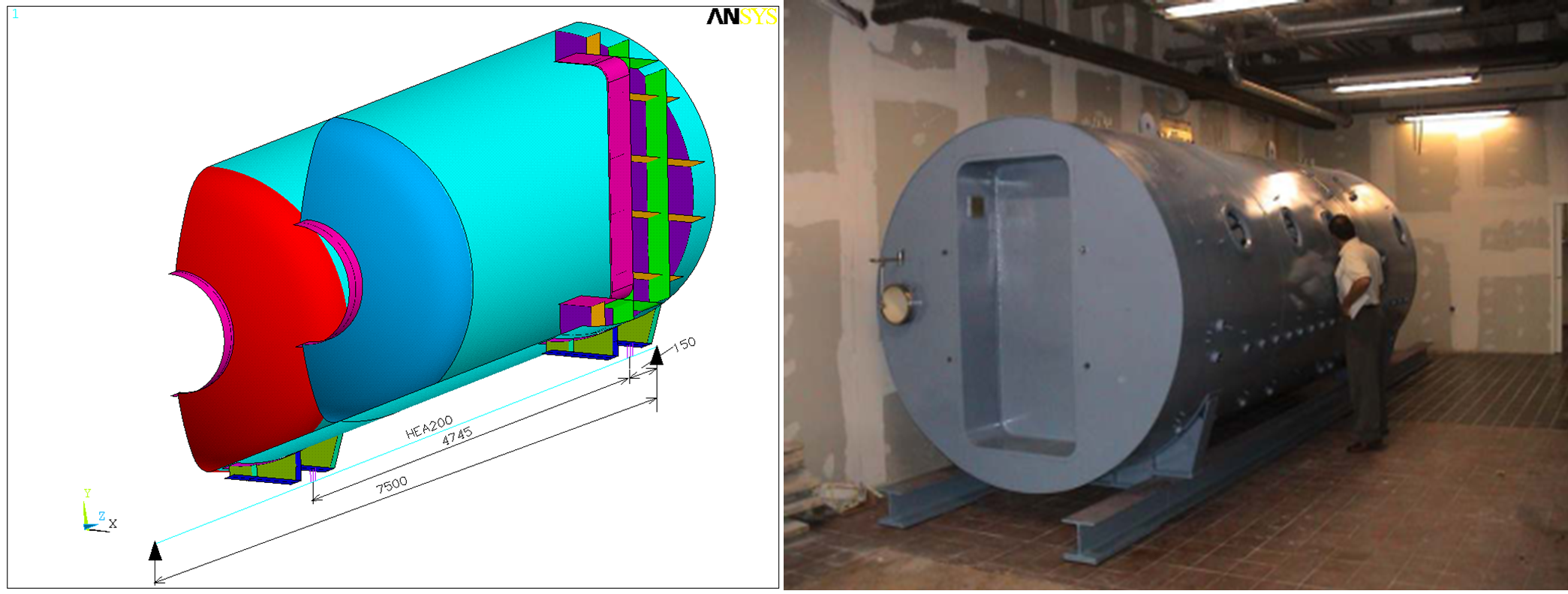
Numerical model and photograph of a hyperbaric chamber for treating up to 10 patients at once. The strength analyses were carried out at FS-LASOK for the University Medical Centre Ljubljana. A special feature of the chamber is the rectangular door for patient entry, which greatly reduces negative psychological effects during treatment.
**Computing in “batch” mode **
Prepare the model in ANSYS/apdl or ANSYS/Workbench. Detailed ANSYS documentation with practice examples is available in the help, accessible with the command
anshelp172
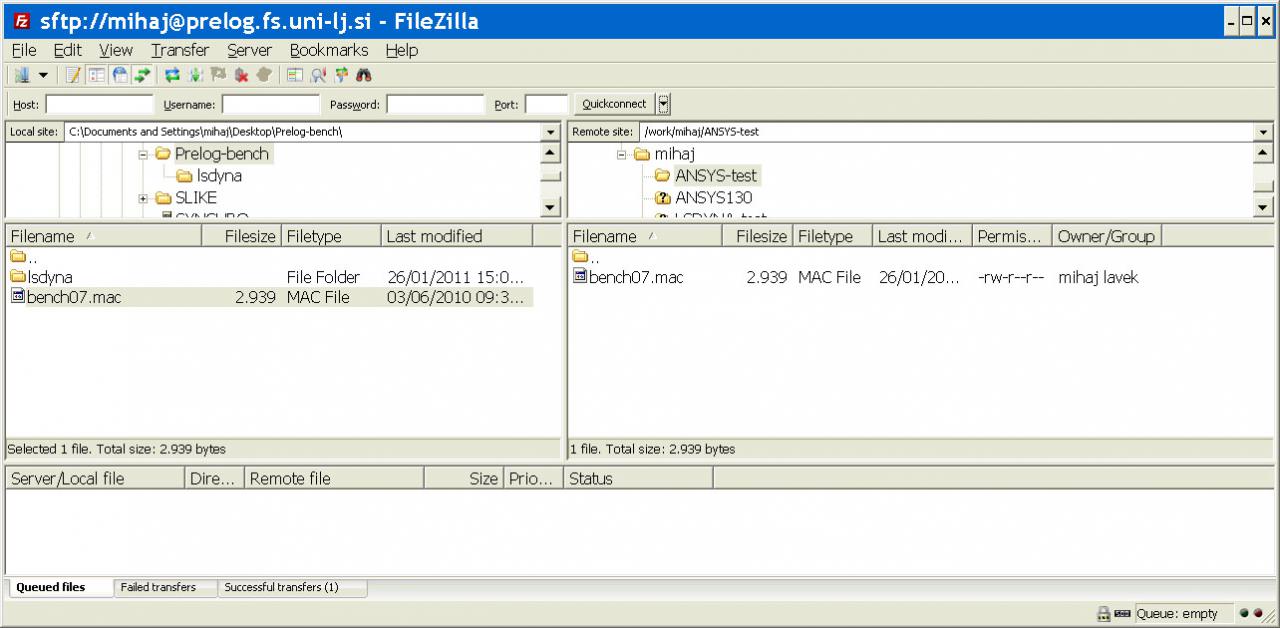
If the input file has been prepared on a personal computer, transfer it to the HPC using the sftp protocol.
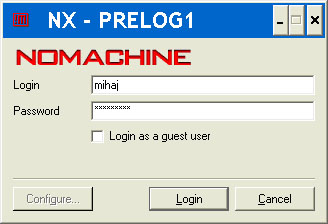
Once the file has been transferred, log in to the HPC with “NX Client”, as described in the user instructions.
Open a terminal window and with the command
module load ansys/17.2
load the ANSYS module.
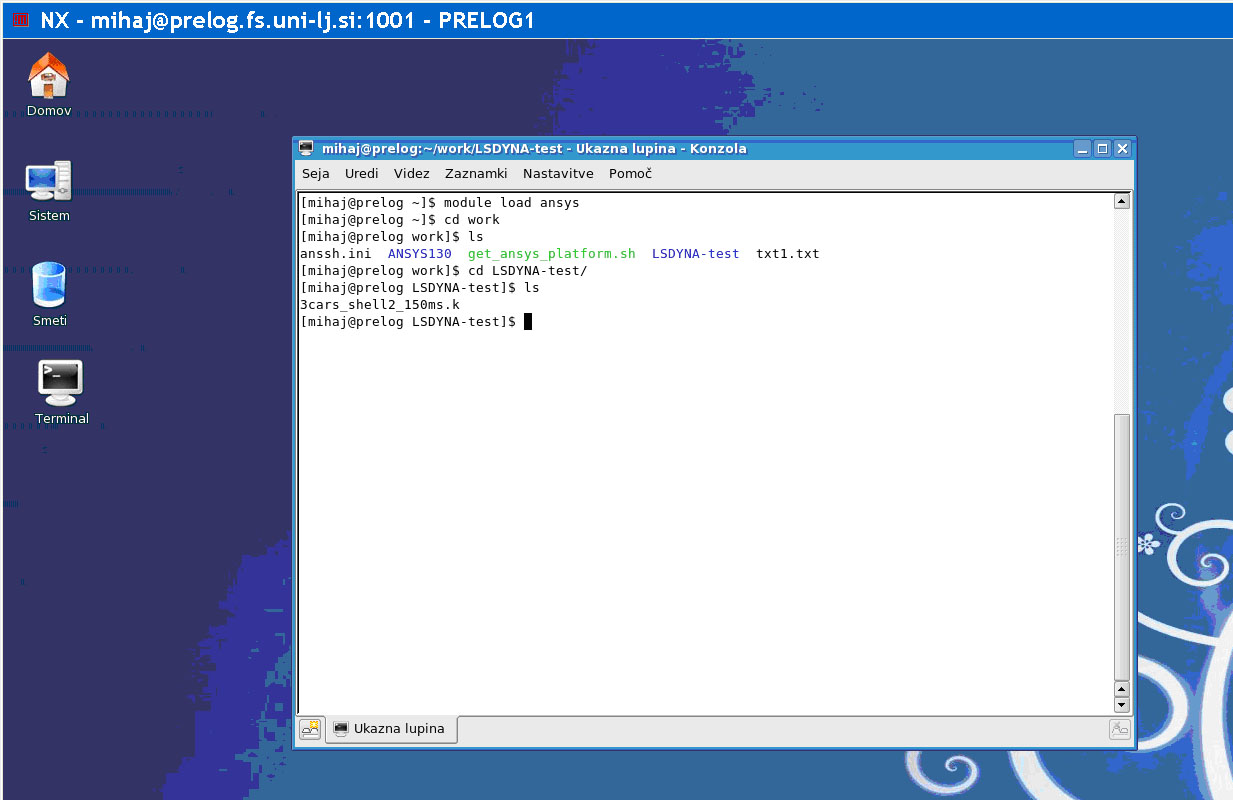
then move to the directory containing the input file, in our case: work/ANSYS-test:
cd work/ANSYS-test
Solving the finite element model in the input file bench07.mac on 12 processors is started with the job script ansys.sh
#!/bin/bash
#SBATCH --job-name=DisAns
#SBATCH --partition=rome
#SBATCH --ntasks=12
#SBATCH --ntasks-per-core=1
#SBATCH --time=24:00:00
#SBATCH --mail-type=END
module load ansys
MACHINES=$(srun hostname | sort | uniq -c | awk '{print $2":"$1}' | paste -sd:)
ansys172 -dis -b -mpi pcmpi -machines $MACHINES -i bench07.mac -o output.out
submitted with the command sbatch ansys.sh.
The above command starts the computation on 12 cores. The process name is DisAns, the input file used is bench07.mac, and the log is written to the file output.out.
When the computation is finished, the HPC notifies us by mail, which can be read with the mail command.
Post-processing can be performed on the HPC, or the result files can be transferred to a personal computer and post-processed there.
Attachments
Attachment |
Size |
|---|---|
1.16 KB |
ANSYS Multiphysics
ANSYS Multiphysics je del programskega paketa ANSYS Academic Research. Ponuja celovito rešitev, ki vsebuje možnosti simulacij večfizikalnih problemov, kot tudi izvajane enostavnejših analiz. Izdelek vključuje možnosti simulacije nosilnih konstrukcij, termične simulacije, simuliranje tekočin ter visoko in nizkofrekvenčne elektromagnetne analize. Vsebuje tudi možnost obravnave direktno in tudi sekvenčno povezanih fizikalnih problemov.
Uporabniki ANSYS-ovo klasično grafično okolje zaženejo z ukazom
ansys172 –g
ANSYS Structural
ANSYS Structural je del programskega paketa ANSYS Academic Research in je vsebovan tudi v paketu Multiphysics. Namenjen je simulacijam nosilnih konstrukcij in elementov. Ta modul nudi vse možnosti nelinearnih analiz (nelinearni materiali, veliki pomiki, velike deformacije, …), kot tudi vse linearne zmogljivosti in tako zagotavlja izvajanje visoko kakovostnih in zanesljivih simulacij.
ANSYS Worbench
ANSYS Workbench je programski paket za računalniško podprti inženiring (CAE). Vsebuje grafični uporabniški vmesnik, ki povezuje funkcije geometrijskega modelirnika z različnimi ANSYS produkti za simulacije z uporabo metode končnih elementov (FEM) in računalniške dinamike tekočin (CFD). Ta produkt je dobro povezlijiv z drugimi 3D modelirniki.
Nekaj primerov izvedenih simulacij
Numerični model strešne kritine in njena napetostno - deformacijska stanja. Na sliki je razvidno deformacijsko stanje po izgubi lokalne stabilnosti Na sliki so vidne velike deformacije pločevine. Prikazani model je bil izdelan v okviru sodelovanja FS-LASOK s podjetjem Trimo.
Numerični model zadrževalnega hrama Nuklearne elektrarne Krško je namenjen analizi protipotresne varnosti polarnega žerjava v v njem. Izvedene so statična, dinamična in stabilnostna analiza. Upoštevani so pospeški tal med potresom. Numerična analiza je ena v vrsti analiz, ki jih je FS-LASOK opravil za NEK.
Numerično simuliranje obnašanja kompozitno zgrajenih zobatih jermenov med obratovanjem. Analiza po metodi končnih elementov je vsebovala velike pomike, velike deformacije, simulacijo kontaktov med dvema površinama z velikim relativnem premikom. Prikazani MKE model je bil prvenstveni v svetu. Analizo je FS-LASOK izvedel za firmo GoodYear.
Numerični model in fotografija hiperbarične komore za zdravljenje do 10 pacientov na enkrat. Trdnostne analize so bile v FS-LASOKU izvedene za Univerzitetni klinični center v Ljubljani. Posebnost komore so pravokotna vrata za vstop pacientov, ki močno zmanjšuje negativne psihološke učinke me dzdravljenejem.
**Računanje v “batch” načinu **
Model pripravimo v ANSYS/apdl ali ANSYS/Workbench. Podrobna dokumentacija o ANSYSu s primeri za vajo so na voljo v pomoči, ki je dosegljiva z ukazom
anshelp172
Če imamo vhodno datoteko pripravljeno na osebnem računalniku jo prenesemo na HPC s pomočjo sftp protokola.
Ko je datoteka prenešena se z »NX Client« logiramo na HPC, kot je to opisano v navodilih za uporabo.
odpremo terminalsko okno, in z ukazom
module load ansys/17.2
naložimo modul ANSYS.
nato se premaknemo v direktorij, kjer se nahaja vhodna datoteka v našem primeru: work/ANSYS-test:
cd work/ANSYS-test
Reševanje modela končnih elementov v vhodni datoteki bench07.mac na 12 procesorjih poženemo s skripto ansys.sh
#!/bin/bash
#SBATCH --job-name=DisAns
#SBATCH --partition=rome
#SBATCH --ntasks=12
#SBATCH --ntasks-per-core=1
#SBATCH --time=24:00:00
#SBATCH --mail-type=END
module load ansys
MACHINES=$(srun hostname | sort | uniq -c | awk '{print $2":"$1}' | paste -sd:)
ansys172 -dis -b -mpi pcmpi -machines $MACHINES -i bench07.mac -o output.out
ki jo pošljemo z ukazom sbatch ansys.sh.
Zgornji ukaz zažene računanje na 12 jedrih. Ime procesa je DisAns, za vhodno datoteko uporabi datoteko bench07.mac, log pa izpisuje v datoteko output.out.
Ko je preračun končan nam HPC to sporoči s pošto, ki jo lahko preberemo z ukazom mail.
Post-procesiranje lahko izvajamo na HPC ali pa si datoteke z rezultati prenesemo na osebni računalnik in post-procesiranje izvajamo na njem.
Priponke
Priponka |
Velikost |
|---|---|
1.16 KB |